
The short decision
Start with the missing workflow
Broadcasts, automated follow-up, publication monetization and course funnels lead to different shortlists.
Price the required plan
Check audience, sends, feature gates and payment charges before moving.
Evidence basis: Prices and capabilities come from official vendor pages. Scenario choices are editorial analysis. No hands-on testing is claimed.
Kit alternatives at a glance
| Platform | Editorial fit | Published price basis | Sending allowance | Automation or publication check |
|---|---|---|---|---|
| MailerLite | Forms, newsletters and a small digital-product catalog | $0 Free; paid plans use subscriber and sending tiers | 2,500 emails/month on Free | Three automations on Free; 50 on Comfort |
| beehiiv | Newsletter publications and audience monetization | $0 Launch; paid features require Scale or higher | Unlimited email sends | Email automations on Scale and higher |
| Brevo | Sending volume, transactional email and sales follow-up | $0 Free; Starter from $9/month | 300 emails/day on Free; entry Starter has 5,000/month | Automation for up to 2,000 contacts on Free; unlimited automation contacts on Standard |
| Flodesk | Email design, capture pages and paid sending | $0 for forms and pages; paid email starts at $25/month for 1,000 subscribers | Unlimited email sends on paid plans; Free cannot send email | Unlimited workflows on Pro and Everything; Lite lists one workflow as a limited-time bonus |
| Systeme.io | Email alongside funnels and course delivery | $0 Free | Unlimited email sends | Automation rules and workflows; check the required tier |
Why users compare Kit alternatives
Kit Free has a large subscriber allowance, but sequences and Visual Automations require a paid plan. A buyer may instead want a different capture-and-email budget, a publication growth model, ecommerce data or funnels and courses. A replacement must cover those requirements without losing tags, consent or paid customer access.
- Current price basis
- $0 Free; Creator $39/month for up to 1,000 subscribers
- Audience and sending
- Up to 10,000 subscribers on Free; Unlimited broadcasts on Free and paid plans
- Automation boundary
- Visual Automations and email sequences require a paid plan
Official Kit plan details · Verified September 30, 2026
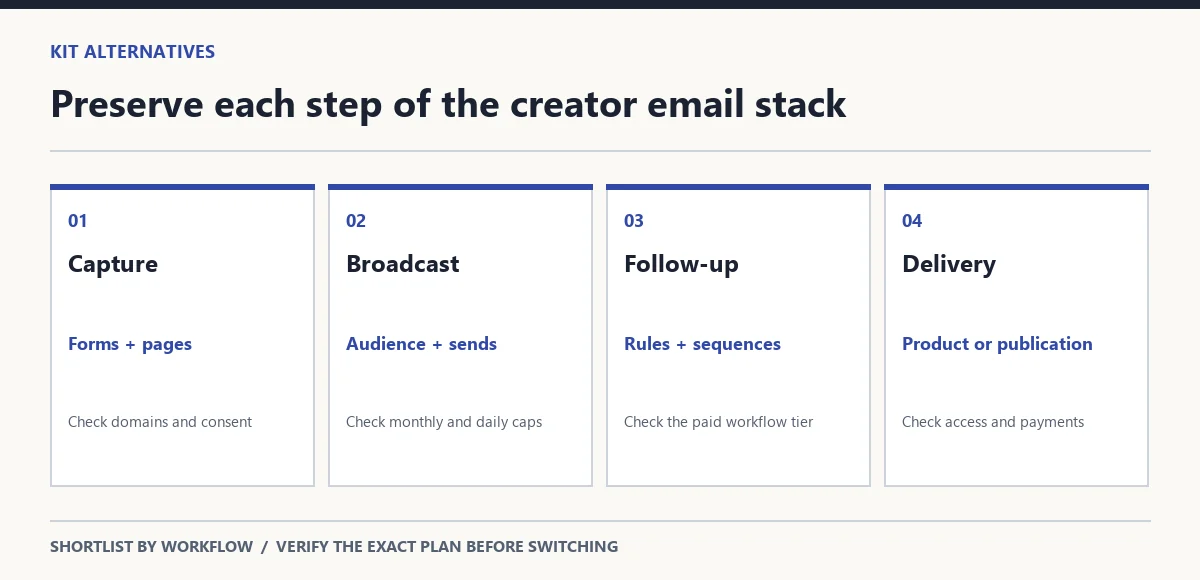
Preserve the workflow behind the list
Individual alternatives
MailerLite
Forms, newsletters and a small digital-product catalog
- Price basis
- $0 Free; paid plans use subscriber and sending tiers
- Audience and sends
- 250 subscribers on Free; 2,500 emails/month on Free
- Automation or publication boundary
- Three automations on Free; 50 on Comfort
One website, one landing page and three forms on Free. One digital product or booking on Free.
Editorial fit and switching check: Consider it when a small list needs capture pages and limited automation. A list can outgrow the subscriber allowance before exhausting sends. For a store, confirm the exact purchase event and segment needed in its ecommerce integration.
Official MailerLite plan details · Verified September 30, 2026
beehiiv
Newsletter publications and audience monetization
- Price basis
- $0 Launch; paid features require Scale or higher
- Audience and sends
- Up to 2,500 subscribers on Launch; Unlimited email sends
- Automation or publication boundary
- Email automations on Scale and higher
Newsletter website and custom domains on Launch. Paid subscriptions and digital products on Scale and higher.
0% beehiiv take on paid subscriptions; payment processing is separate.
Editorial fit and switching check: Consider it when the newsletter is a publication rather than one channel in a store. Separate access to monetization tools from expected earnings. Moving contacts does not establish transfer of paid subscriber billing, publication archives or referral history.
Official beehiiv plan details · Verified September 30, 2026
Brevo
Sending volume, transactional email and sales follow-up
- Price basis
- $0 Free; Starter from $9/month
- Audience and sends
- Free stores up to 100,000 contacts; entry Starter allows 500; 300 emails/day on Free; entry Starter has 5,000/month
- Automation or publication boundary
- Automation for up to 2,000 contacts on Free; unlimited automation contacts on Standard
Standard includes one landing page. Marketing and transactional email; additional channel costs need separate budgeting.
Editorial fit and switching check: Consider it when send volume and sales follow-up lead the choice. Its daily and monthly allowances behave differently from a subscriber-only price. Confirm the contact cap on the selected paid tier and budget extra channels separately; do not assume free SMS credits.
Standard adds advanced reporting.
Official Brevo plan details · Verified September 30, 2026
Flodesk
Email design, capture pages and paid sending
- Price basis
- $0 for forms and pages; paid email starts at $25/month for 1,000 subscribers
- Audience and sends
- Subscriber-based pricing; Lite has a 25,000-subscriber ceiling; Unlimited email sends on paid plans; Free cannot send email
- Automation or publication boundary
- Unlimited workflows on Pro and Everything; Lite lists one workflow as a limited-time bonus
Forms and landing pages on Free and paid plans. Everything includes unlimited checkouts and subscription selling.
0% Flodesk platform transaction fee; Stripe processing is separate.
Editorial fit and switching check: Consider it when visual email composition leads the workflow. This is a scope-based shortlist, not a judgment that its designs are better. Rebuild your own template and mobile layout before moving. Lite’s temporary workflow bonus is a poor basis for a permanent automation requirement.
Official Flodesk plan details · Verified September 30, 2026
Systeme.io
Email alongside funnels and course delivery
- Price basis
- $0 Free
- Audience and sends
- 2,000 contacts on Free; Unlimited email sends
- Automation or publication boundary
- Automation rules and workflows; check the required tier
Three sales funnels on Free. One course on Free.
Editorial fit and switching check: Consider it when email supports a funnel and a course offer. Its contact and course allowances are useful screening criteria, not evidence of newsletter ad-network or advanced ecommerce capabilities. Pilot the course format, follow-up sequence and checkout before consolidating the stack.
Official Systeme.io plan details · Verified September 30, 2026
Explore this option only if your email workflow also needs funnels or course delivery and the required plan covers the offer.
Choose by email workflow
| Requirement | Consider | Decision boundary |
|---|---|---|
| Lower-cost creator email | Price the complete workflow | Free broadcasts do not establish free automation; compare the required tier. |
| Newsletter growth | beehiiv | Evaluate recommendations and publication model; paid features require Scale. |
| Simple newsletters | MailerLite | Check audience and monthly sends before choosing Free. |
| Advanced automation | Brevo Standard or retain Kit paid | Pilot rules, branches and event connections. |
| Ecommerce | MailerLite or Brevo shortlist | Verify required customer events rather than generic integration names. |
| All-in-one creator stack | Systeme.io | Shortlist when email sells a funnel or course offer. |
| Visual email workflow | Flodesk | Compare paid sending and workflow scope with the message you actually create. |
Compare the whole email budget
Audience × sending × required workflow
Record active subscribers, stored contacts, monthly deliveries and the largest single-day send. Then add the paid tier for automation, selling or publication features.
Keep monthly subscriptions separate from annual-billed equivalents. Product or membership selling can add payment charges even when the vendor’s platform transaction fee is zero.
What to check before switching
- Export consent records, unsubscribes and suppressions alongside subscriber addresses. Keep the suppression list active in the destination.
- Translate tags, groups and segments into explicit rules. Map each trigger, delay, branch and purchase event; an imported list is not an imported workflow.
- Rebuild forms and landing pages, update embeds and confirm confirmation emails, redirects and double opt-in settings.
- Verify sender-domain authentication and the destination’s domain instructions before moving live sending.
- Ask separately about paid subscriber billing, digital-product files, customer access, publication archives and referral records. Do not assume portability.
- Pilot a small consenting segment and a test purchase. Keep the existing setup available until capture, sending and customer access work.
Questions buyers ask
No. They refer to the current product and its former brand. This guide evaluates the current Kit plans rather than treating the rebrand as two services.
Not by themselves. Rebuild trigger conditions, sequence timing, purchase events and segment rules; verify each path with a small test audience.
Ask how recurring payments, subscriber access and existing cancellations will work. A subscriber import does not prove that payment authorizations or customer entitlements move.
Sources and verification
Verified September 30, 2026 against official vendor pricing, feature pages and help articles. Prices and limits are plan-specific and can change. The shortlist is editorial analysis, not a hands-on test or a deliverability ranking.
- Kit — official feature or help article
- Kit — pricing and plan details
- Kit — official feature or help article
- Kit — official feature or help article
- MailerLite — pricing and plan details
- MailerLite — official feature or help article
- beehiiv — pricing and plan details
- beehiiv — official feature or help article
- Brevo — pricing and plan details
- Flodesk — pricing and plan details
- Systeme.io — pricing and plan details
Our software comparison methodology explains this source standard. Explore email marketing research for creators and software alternatives by workflow for a wider shortlist.